Switch market
Change the market you work in, see a group or all your markets at once, and switch organization.
The selected market controls the leads, routes, activity, and settings you see.
Change your market
Select the current market in the top bar, or press ⌘K on a Mac or Ctrl+K on Windows. On a phone, open More and select Switch.
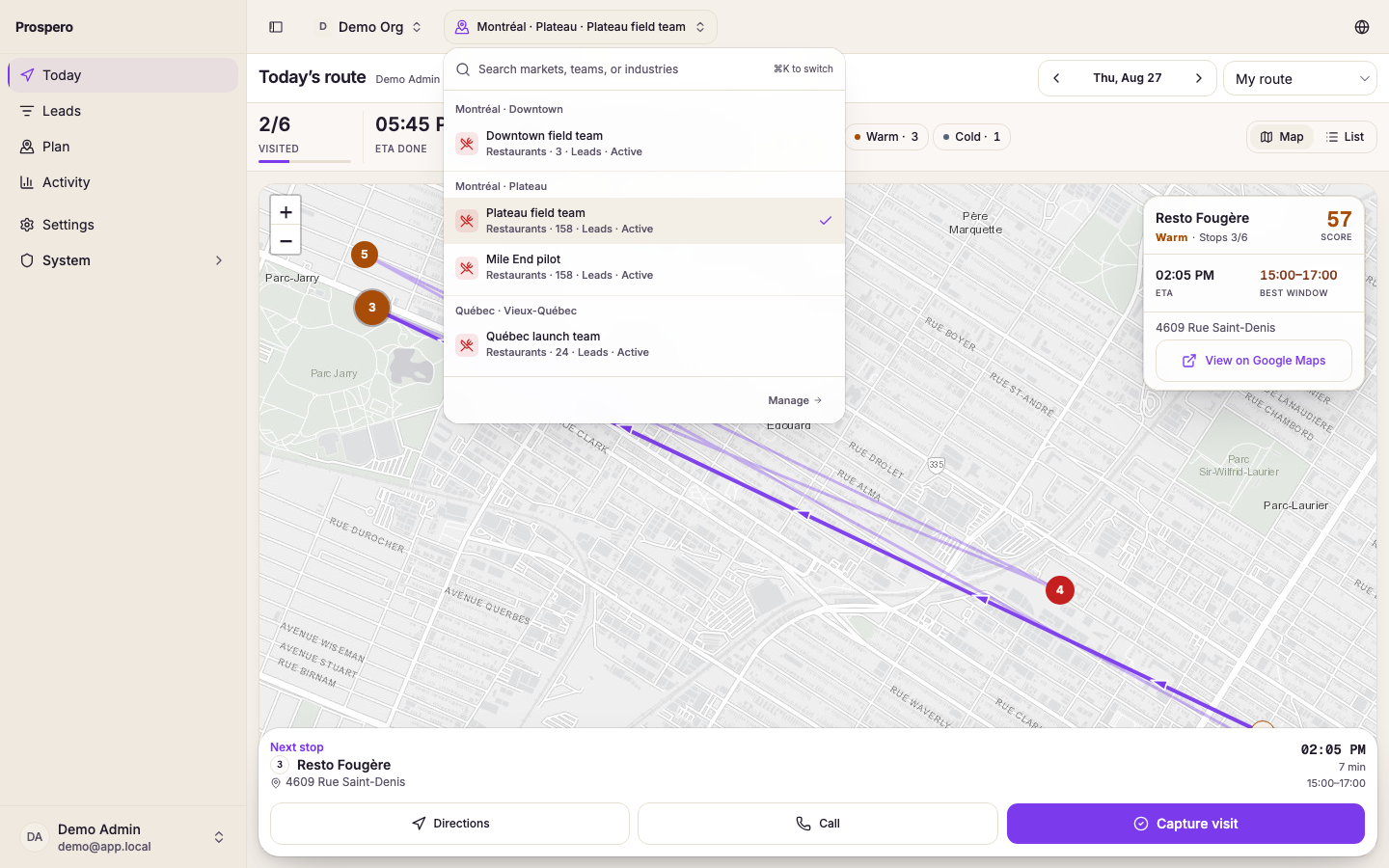
Type in Search markets when the list is long. The search matches market names and group names.
Select the market you want to work in. The markets you opened most recently are listed first, under Recent.
Confirm that the new market appears in the top bar.
The selection carries across Leads, Plan, Today, Activity, and Pipeline settings. You do not need to choose it again on every page.
See a group or all your markets
When you reach more than one market, the switcher starts with All markets, and each group heading has View all. Select one to see those markets together. The top bar then shows the group's name, or All markets.
On Leads, the list shows the leads of every market in the selection, with a Market column. The map, the board, the tier sections and Export CSV need one market, so they are hidden until you pick one. On a phone or tablet the list reads, for example, 25 of 184: the leads loaded so far, of all the leads that match.
Today, Plan, Calls and the other pages that work in one market show Pick a market instead. Select one of the markets listed to open the page there.
Anything that changes a lead's market data asks first. Import opens Pick a market, and the switch moves to the market you pick before the import starts. Add to route moves to the lead's own market and opens Plan there.
How markets are grouped
Markets are listed under their group, in alphabetical order, with the default group last. When your organization has only one group, the switcher shows a plain list with no group headings.
An owner or admin creates, renames, and deletes groups in Settings, Markets, under Groups. To move a market, open its row menu and select Move to group. A group can be deleted once no market is in it. The default group cannot be deleted, and it is where a new market goes when nobody picks a group.
Switch organization
If you belong to more than one organization, open your account menu (your avatar at the end of the top bar). Your organizations are listed under Organizations. Select one to switch, or select Create organization to start a new one. When you belong to more than eight, a search field appears above the list.
If a market is missing, it may not be assigned to you. Ask an owner or admin to review your access. See Access and visibility.