Run the discovery pipeline
Start lead discovery, enrichment, scoring, and CRM sync for a market and industry.
The full pipeline discovers leads, removes duplicates, adds business details, scores the results, and syncs eligible records to the connected CRM. Each run belongs to one market and one industry: a market that covers Restaurants and Hotels runs each industry on its own.
Before you start
Enable at least one discovery source for the industry in that market, in Settings, Sources. Paid sources also need a tested organization API key.
Start a run
Select the market and industry
Use the picker in the top bar to choose the market and industry whose leads you want to update. The selection carries into Activity.
Open the Pipeline view
Open Activity, then select Pipeline. Review the latest status before starting another run.
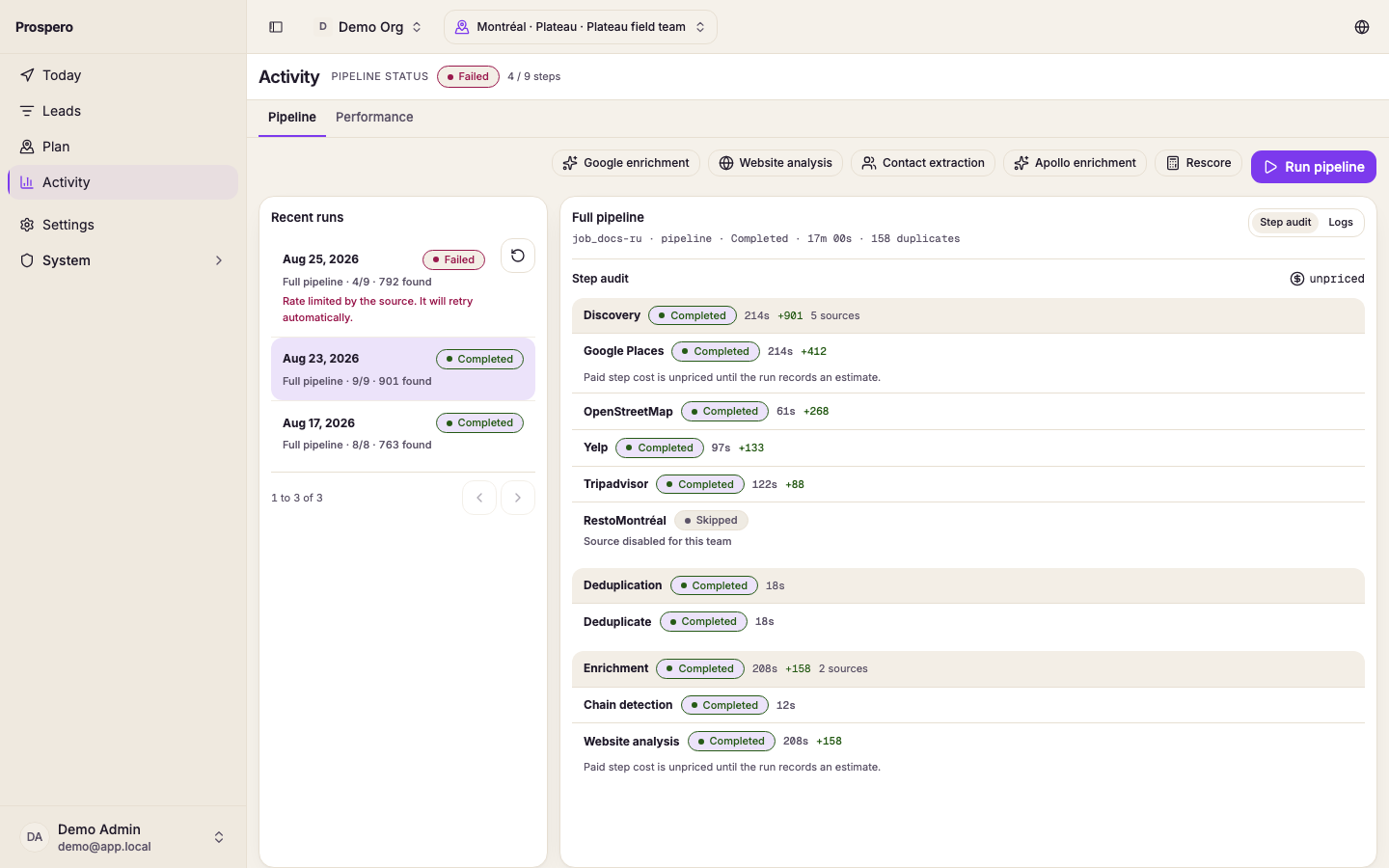
Start the full pipeline
Select Run pipeline. A confirmation names the market and lists any paid steps that will run (or says none will). Select Run pipeline again to start. The header reads Starting… until the run is picked up. Wait for Pipeline started before leaving the page.
Follow the layer progress
Watch Discovery, Deduplication, Enrichment, Scoring, and CRM sync. A layer can show running, completed, partial, failed, cancelled, or skipped.
Run from Settings
An admin can also start a run from Settings, Markets. Open the market's actions and select Run pipeline, then the industry when the market covers more than one. Adding a market with Run discovery when the market is created checked starts one run for each industry you picked.
Run one focused action
Use Google enrichment, Website analysis, Contact extraction, Apollo enrichment, or Rescore when the full sequence is not needed. Prospero starts only that action and adds it to Recent runs.
Do not start the same work again while a run is active. Open Monitor and recover pipeline runs to inspect its steps and logs.