Today's route
Follow the route
Move from one stop to the next and open turn-by-turn directions.
Use the selected stop card to keep the day moving.
Work through the stops
Open Today and select Start route.
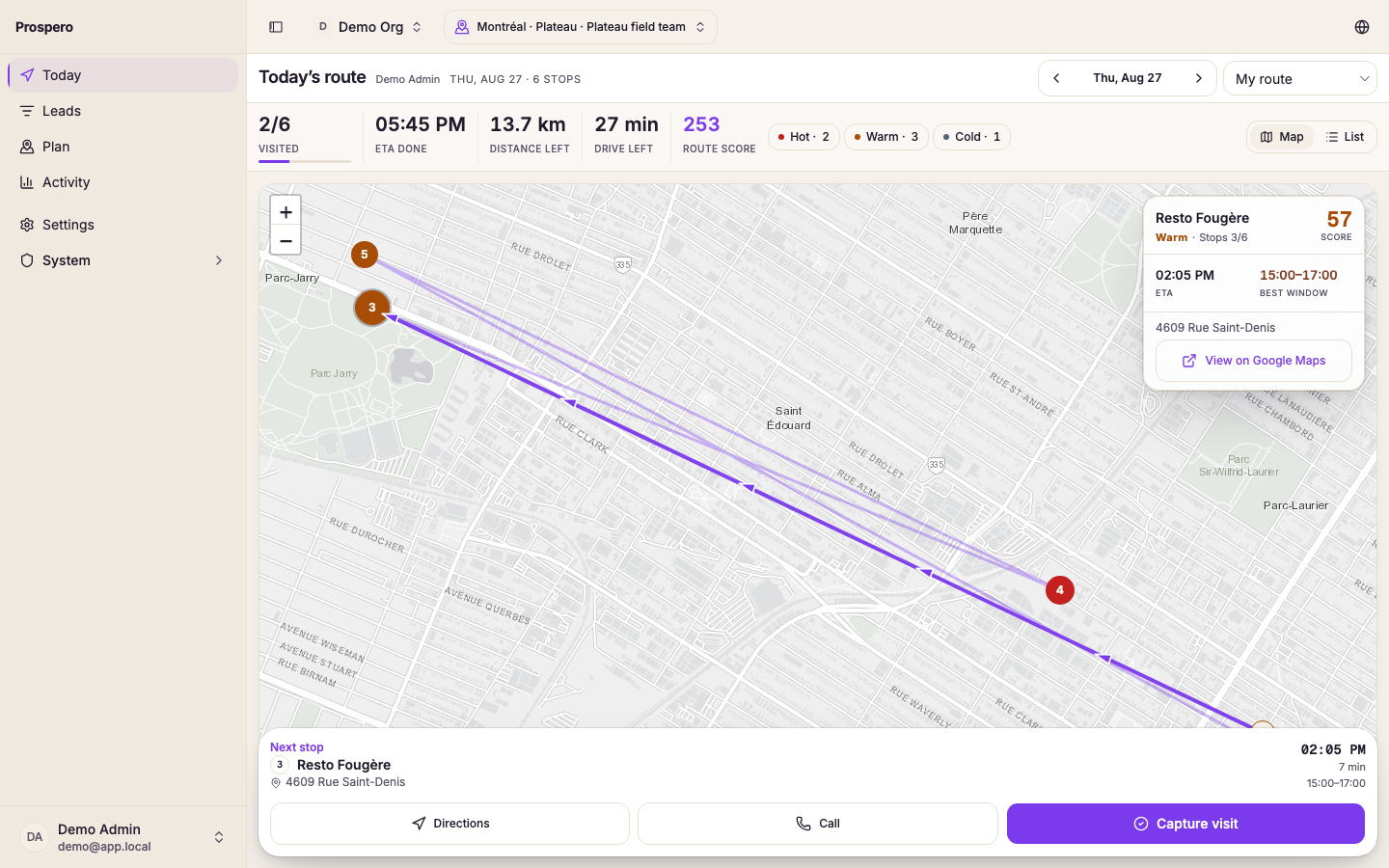
Select the first stop from the map or list.
Review ETA, Best window, and travel distance.
Select Directions.
Choose Google Maps or Apple Maps when asked.
After the visit, select Capture visit.
When the visit is saved, select Next stop.
Inside best window means the current time falls within the lead’s preferred visit window. You can still open another stop when the route needs to change.