Review and approve a route
Check a draft route, change its inputs when needed, and make it available in Today.
A draft route stays in Plan until you approve it. Review the stop count, driving time, distance, score collected, map, and planned arrival times before making it available in Today.
Before you start
Wait for Draft ready for review. If route planning reports a failure or timeout, correct the route inputs and try again before approving anything.
Review the draft
Check the route summary
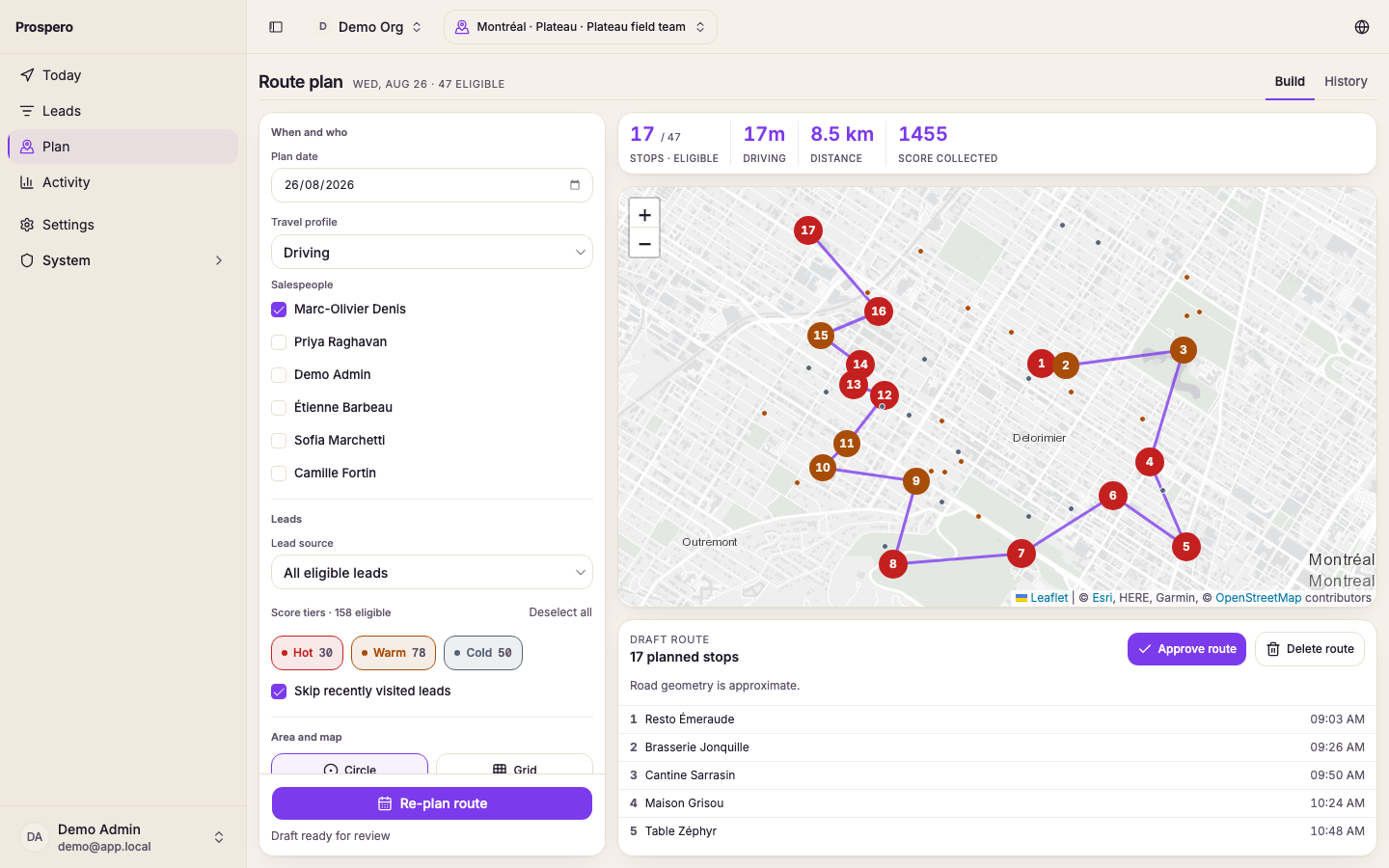
Review the planned stop count, driving time, distance, and Score collected above the map. Compare the stop count with the eligible-lead total shown beside it.
Inspect the route on the map
Select a numbered stop or its map marker. Check that the route stays inside the area you selected and that the travel pattern makes sense for the day.
Review the stop order
Read the numbered stop list below the map. Each row shows the lead and its planned arrival time.
Check approximate road geometry
If Road geometry is approximate appears, treat the drawn line as an estimate. The stop list and planned order remain the saved route.
Change the draft
Select Re-plan route when the date, salesperson, lead source, tiers, maximum stops, workday, route start, or area needs to change. Prospero removes the current draft and returns the page to the editable route controls. Review the replacement draft again before approving it.
Approve the route
Approve the draft
Select Approve route. The draft changes to a saved route for the selected salesperson and date.
Open the planned day
Open Today and choose the same Route date and Salesperson. The approved stops appear on the map and list.
Delete a route
Select Delete route when the plan should be removed instead of approved. Read the confirmation before continuing. If the route has visited stops, Prospero states how many recorded stops will be lost.
Use Open today's route to check the approved plan, or Use route history to review saved plans from another date.