Troubleshooting
A pipeline run failed
Use the failed step and logs to choose the right recovery action.
Do not start another full run until you know why the current one failed.
Open Activity, then Pipeline.
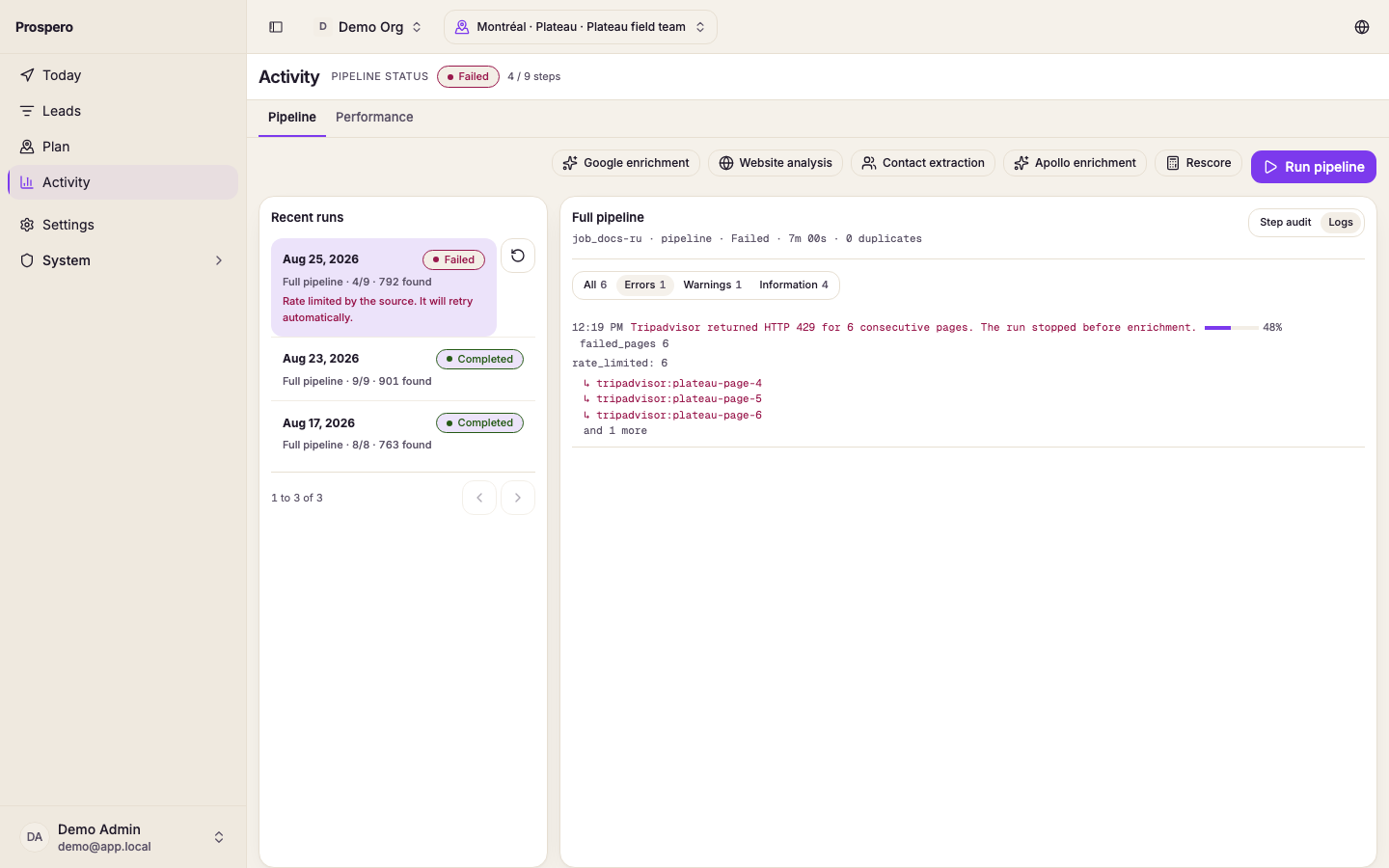
Select the failed or partial run.
Read the failed step. The run opens on it, with the reason it stopped.
Select Stream, then Errors.
Fix the reported key, quota, network, or source problem.
Select Resume run or Retry.
- Daily API quota reached resumes after the quota resets.
- Rate limited by the source may retry automatically.
- Authentication failed needs a corrected organization key.
- Couldn’t reach the source may be temporary.
- Source returned no usable data can mean the market is not covered.
A deliberately cancelled run shows Cancelled, not Failed.