Review a lead
Open lead details, understand its score, and decide the next action.
Lead detail brings the information needed for a call, visit, or assignment into one place.
Review the lead
The leads table shows Last contact as a column, for example "Called 16d ago". Select the column header to sort by it, newest or oldest first, with never-contacted leads last. To find leads nobody has reached lately, choose Add filter, then Last contact, and pick a relative range such as not in the last 14 days. That range also includes leads that were never contacted.
Open Leads.
Select the lead’s name or row.
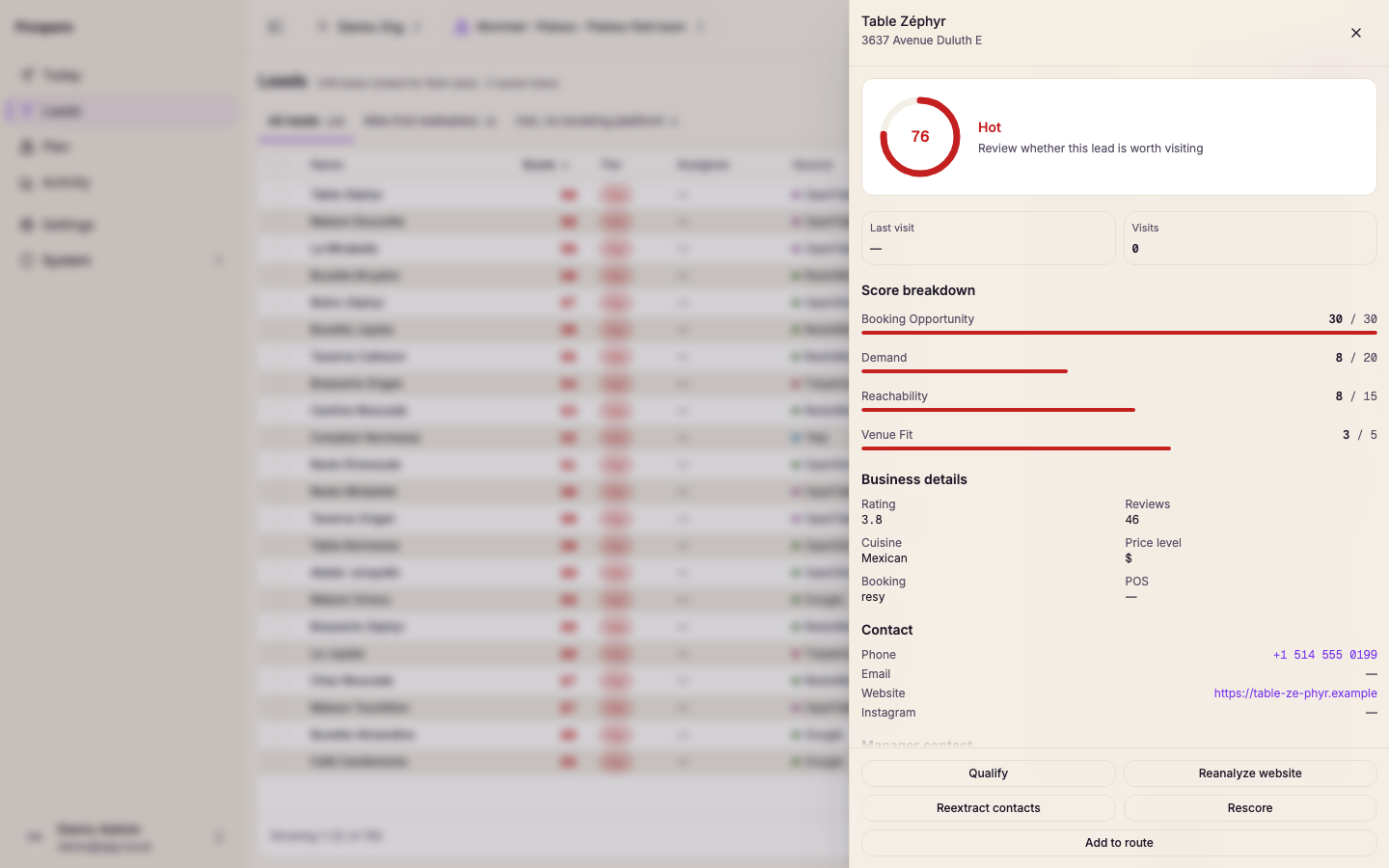
Read Last contact first: whether the lead was last called or visited, how many days ago on your market's clock, and how the call went. A lead nobody has called reads No calls logged yet. If your team has not connected Quo yet, an admin also sees Connect Quo, which opens Settings, Integrations, Calls.
Review Last visit and Visits above the breakdown. A lead that has been demoed before says so under the visit count.
Review Score breakdown to see how each category contributes to the score.
Check Contact, Business details, Manager contact, and Industry details.
Read History for everything that happened to the lead: calls, visits, and changes, newest first, grouped by day. Upcoming calls and route stops sit under Next. Choose Calls, Visits, or Changes to see one kind, and choose Details on a call to set or edit its outcome.
Choose the next action, such as Assign to, Qualify, Disqualify, or Edit notes.
Some detail actions start work that finishes in the background. If Prospero says the job is still running, check Activity before starting it again.
Use Capture a visit when you meet or call the lead in the field.