Configure discovery sources
Choose which free and paid lead sources each industry in a market can use.
Source settings belong to one industry in one market. Switch to the correct market in the top bar before editing them.
Enable sources
Open Settings, then select Pipeline.
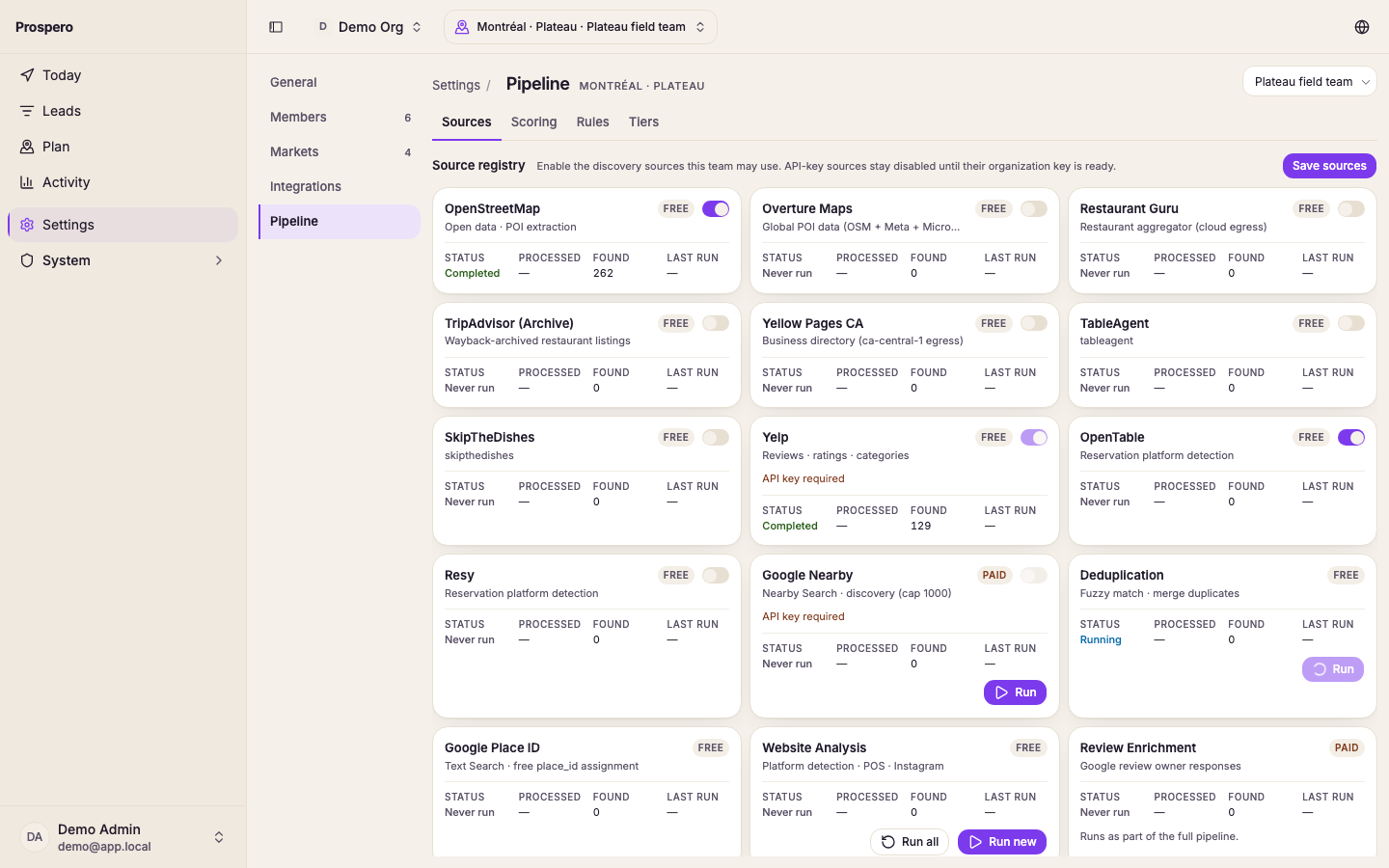
Open Sources. When the market covers more than one industry, pick its tab.
Review each source’s Status.
Turn on the sources that industry may use.
Select Save sources.
Free sources can be ready immediately. Paid sources may show API key required until an organization key passes its connection test.
You can set the same sources from Settings, Markets: open the market's actions, select Configure, then the industry's tab.
Use Run to start one available source, Run new to collect new results, or Run all when the shown sources should run together. Some sources run only as part of the full pipeline.