Configure scoring rules
Change how your organization scores leads in one industry and apply the new rules to existing leads.
Scoring rules decide how Prospero ranks leads in one industry. They are part of the industry's playbook, so a change you save here applies to every market that sells into it. You can change category weights, switch individual rules on or off, and adjust their points.
Before you start
You need owner or admin access to save the playbook.
Review the current scoring setup
Open the score rules
Open Settings, select Playbook, then choose the industry's tab. Score rules sits below the tiers, deal stages, and lost reasons.
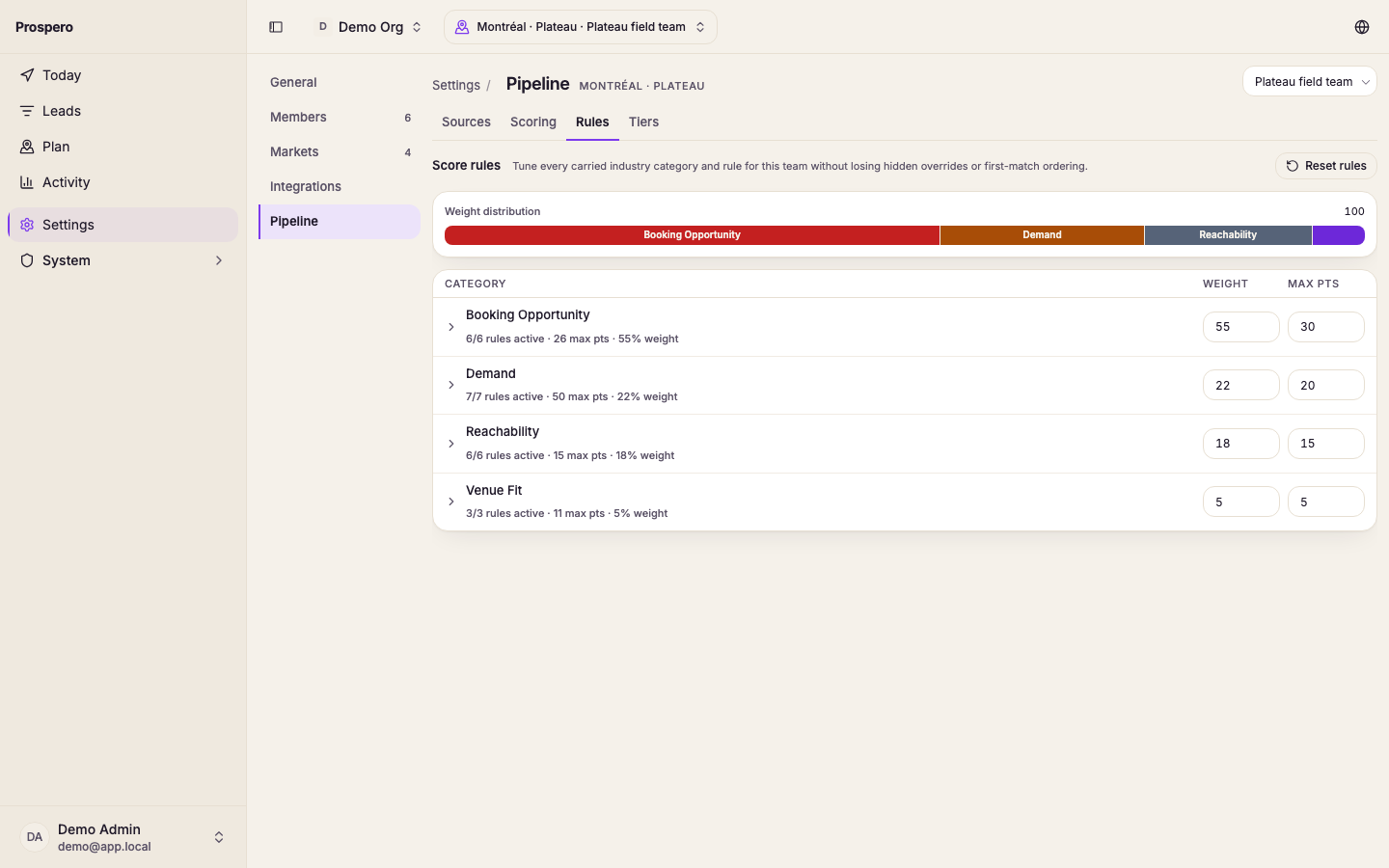
Check the weight distribution
Review Weight distribution before changing a category. It shows how much each category contributes to the final score.
Open a scoring category
Select a category under Scoring categories. Prospero shows its weight, maximum points, active-rule count, and individual rules.
Change the rules
Change the category weight
Edit Weight when the category should have more or less influence on the final score. Review the distribution again after the change.
Switch a rule on or off
Use the rule's switch to include or exclude it from scoring. A switched-off rule contributes no points.
Change the rule points
Edit Points to change the value of a matching rule. Prospero applies the first matching rule within a field, so keep the more specific conditions ahead of broad ones.
Review each category summary
Check the active-rule count, maximum points, and weight shown for every changed category. This catches a category with no active rules before you save.
Save or discard the changes
Save the playbook
Select Save playbook in the bar at the bottom of the page. Wait for Playbook saved before leaving the page.
Rescore existing leads
Open Activity, select Pipeline, then select Rescore. Existing leads keep their old scores until this run finishes.
Select Discard changes to leave the saved playbook unchanged. Reset rules puts the industry's default scoring categories on the page and keeps the thresholds, qualification rules, and other settings; nothing changes until you save the playbook.
Check the result
Open Pipeline, then Scoring, after the rescore finishes. Review Average score, Score distribution, Tier breakdown, and Top leads by score. If no results appear, confirm that discovery has produced leads for the selected market.
Next, configure the playbook so the tier score ranges match the labels your team uses.