Configure the playbook
Set the tiers, deal stages, lost reasons, and score rules that every market in one industry shares, and save them together.
The playbook is how your organization sells into one industry. It holds four parts: the tiers that turn lead scores into the groups your team sees, the deal stages a lead moves through, the reasons a deal is lost, and the score rules. Every market that sells into the industry shares one playbook, so a change you save here applies to all of them.
Before you start
You need owner or admin access to save the playbook. You do not need to pick a market first: the playbook belongs to the industry.
Open the playbook
Open Playbook
Open Settings, then select Playbook. One tab appears for each industry your organization sells into, with the number of markets that use it. The page opens on the industry of the market selected in the top bar.
Choose an industry
Select another industry's tab to edit its playbook. If you have changes you have not saved, Prospero asks before it discards them.
Edit the tiers
Change a tier
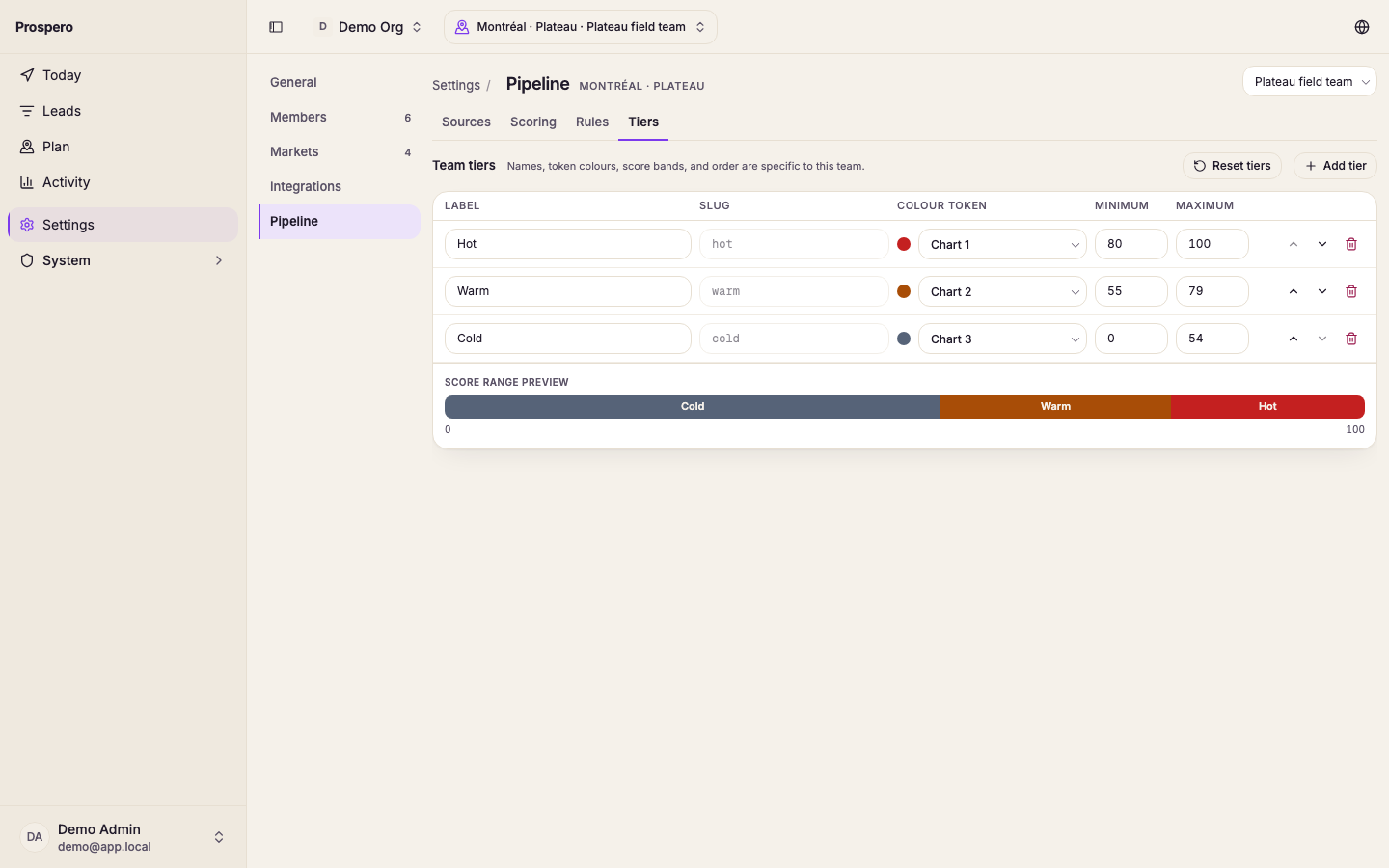
Edit Label, pick a Colour swatch, and enter Minimum and Maximum values between 0 and 100. Use Move tier up or Move tier down to change the order Prospero shows the tiers in.
Check the score range preview
Review Score range preview. Each score from 0 through 100 must belong to one tier, and two tiers cannot overlap.
Add or remove a tier
Select Add tier for another score band, or Delete tier to remove one. At least one tier must remain.
Edit the deal stages
Deal stages are the steps a lead moves through, from first contact to a decision. Rename a stage in place, select Add stage to add one before Won and Lost, or select Remove stage to remove one.
Won and Lost are marked Closes the deal. You can rename them, but you cannot remove them, because every deal ends on one of the two.
A stage that still holds leads cannot be removed. When you save, Prospero puts the stage back and shows how many leads are still on it. Move those leads to another stage from the board, then remove the stage again.
Edit the lost reasons
Lost reasons are offered when a deal is marked Lost. Rename a reason in place, select Add reason to add one, or select Remove reason to remove one. At least one reason must remain.
Edit the score rules
Score rules set how much each category counts and which rules score points. See Configure scoring rules for each control.
Save the playbook
As soon as you change anything, a bar appears at the bottom of the page with Unsaved changes. Select Save playbook to save the tiers, stages, lost reasons, and score rules together, and wait for Playbook saved. Select Discard changes to go back to what was saved.
Reset tiers and Reset rules put the industry's defaults on the page. Nothing changes until you save the playbook.
After changing tiers or score rules, open Activity, select Pipeline, then select Rescore so existing leads receive updated scores and tiers.