Sync and reconcile HubSpot
Choose which leads HubSpot receives, run a sync, and recover records that need attention.
The preview shows the leads the saved policy includes and why other leads are excluded. Saving the policy does not start a sync.
Save the sync policy
Open Settings, then select External CRM under Integrations.
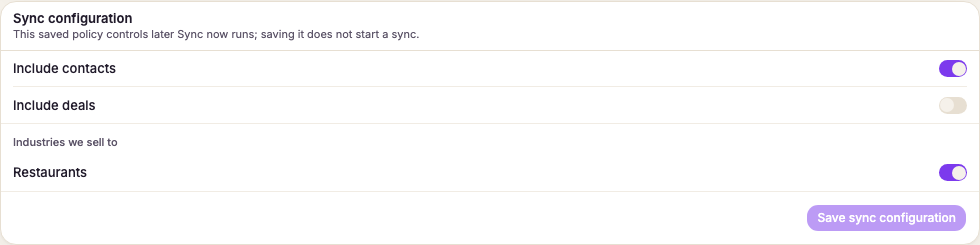
Open Sync configuration.
Choose whether to include contacts and deals.
For each industry, set the markets, booking platforms, and other rules your team needs. A booking-platform filter applies to new HubSpot records. Existing linked companies continue to refresh.
Review the scope line, then select Save sync configuration. The line shows the leads in scope and the main reasons other leads are excluded.
Run and verify the sync
Select Sync now.
Follow the pull, push, and Verifying record counts phases.
Select Verify sync accuracy.
Confirm the comparison result. It checks current non-suppressed records against HubSpot.
Select Retry recoverable records only when the recovery panel offers it. Records that need review do not get a retry button. If counts do not match, Push the missing records again retries failed pushes and repairs missing links, but does not recreate records deleted in HubSpot.
Choose what happens after a HubSpot deletion
Choose Restore it on the next sync to recreate a company that someone deleted in HubSpot. After verification finds the missing record, select Repair and re-push to apply that policy. Choose Leave it deleted to stop syncing that lead. You can also select Also disqualify the lead in Prospero when leaving it deleted.
Review possible duplicates
Select Review merge to compare both HubSpot companies. Choose the surviving company, then select Merge companies. Values already on the survivor stay in place; empty survivor fields can be filled from the duplicate.
Before you merge
The merge cannot be undone in Prospero. Select Not a duplicate instead when the companies represent different businesses.