Create markets and choose their industries
Add a field territory, choose the industries it covers, and add or remove one later.
A market defines the territory. Its industries say what you sell into there, and each industry is scored with its own playbook.
Create a market
Open Settings, then select Markets. Each market is one row, with its industries, its status, its leads and its last run.
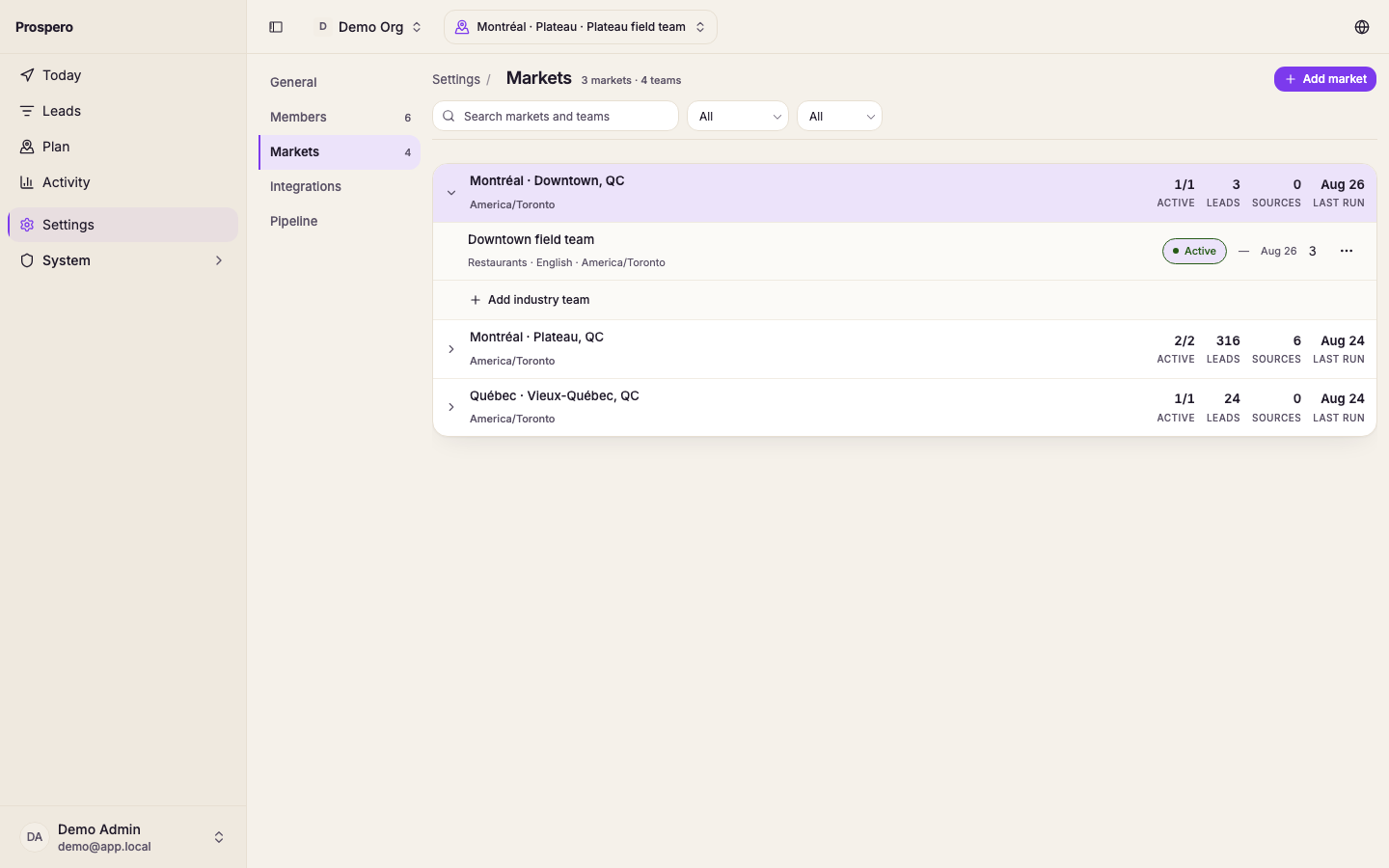
Select Add market.
Search for a city or district and pick it from the results.
Choose the Language, then pick one or more industries under Industries.
Leave Run discovery when the market is created checked to start one discovery run for each industry, or uncheck it to start later.
Select Create market.
Add or remove an industry
Open the market's actions and select Configure.
Select Add industry and choose one. It appears as a new tab.
To stop covering an industry, open its tab, select Remove with the industry's name, then hold Confirm delete. An industry that still holds leads cannot be removed: move or delete its leads first.
Select Save to keep the language and source changes.
Archive in the market's actions archives every industry at once. Reactivate brings them back.