Make and track a bet
Record a bet on one number, name what should move it, and follow its monthly checks until it is hit or missed.
A bet is a prediction you write down: this number will reach that value by this date, and these inputs will move it. Prospero checks the bet when each month ends and tells you whether the plan is working. Owners and admins make bets, and everyone who can open the view reads them.
Make a bet
Open Dashboard, then select Bets under Company in the list of views.
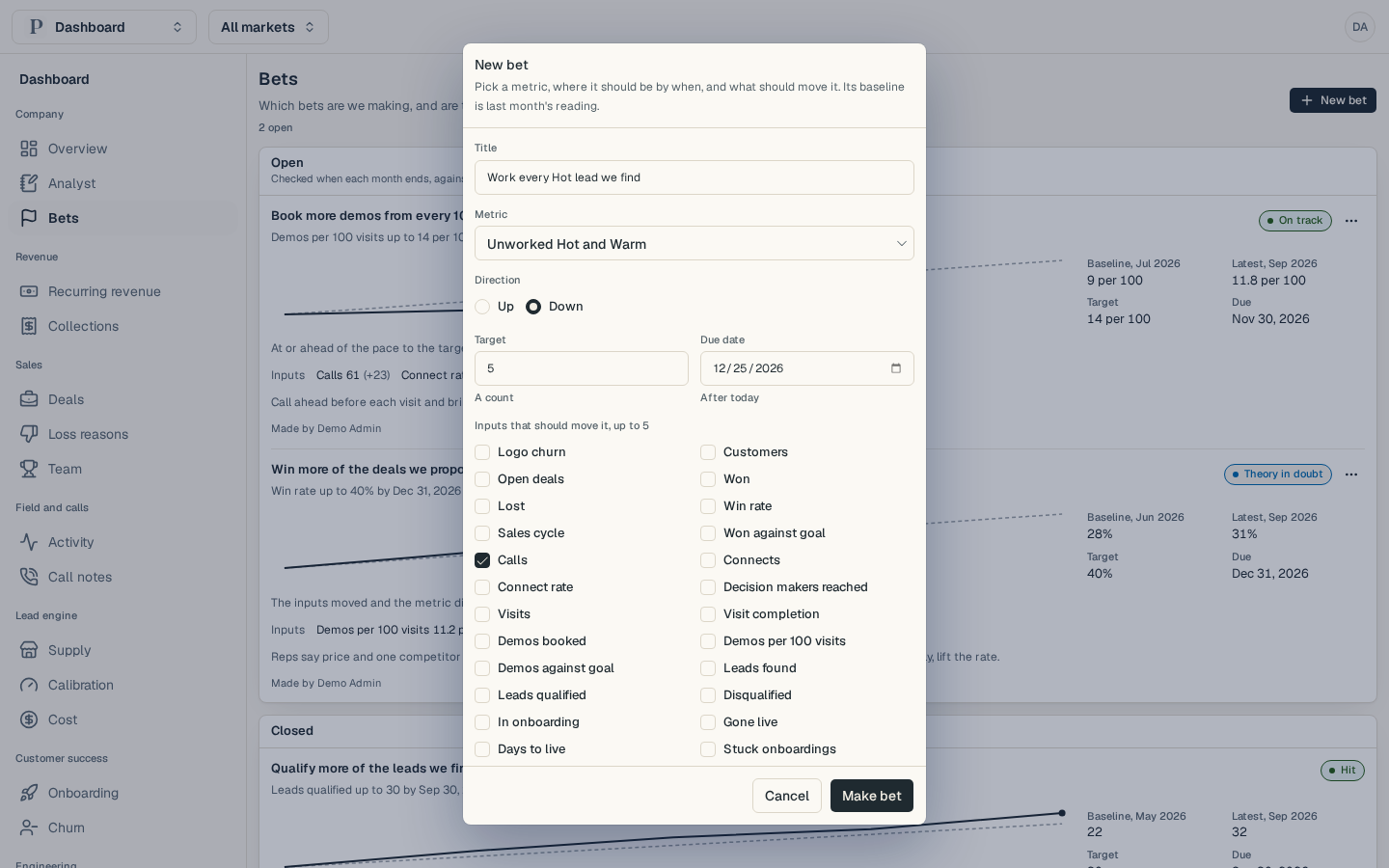
Select New bet. A window opens.
Type a Title that says what you will do, such as "Work every Hot lead we find".
Pick the Metric the bet is about, then choose its Direction: Up or Down. The bet starts from last month's reading of that metric. A metric that read nothing last month cannot be used.
Enter the Target. The line under the field names its unit, such as A count or Per 100 visits. Then pick a Due date after today.
Under Inputs that should move it, tick up to five figures you expect to change first, such as Calls. Prospero compares them with the metric to judge the bet.
Add your reasoning under Note (optional), then select Make bet. Bet made appears, and the bet joins the Open list.
Follow a bet
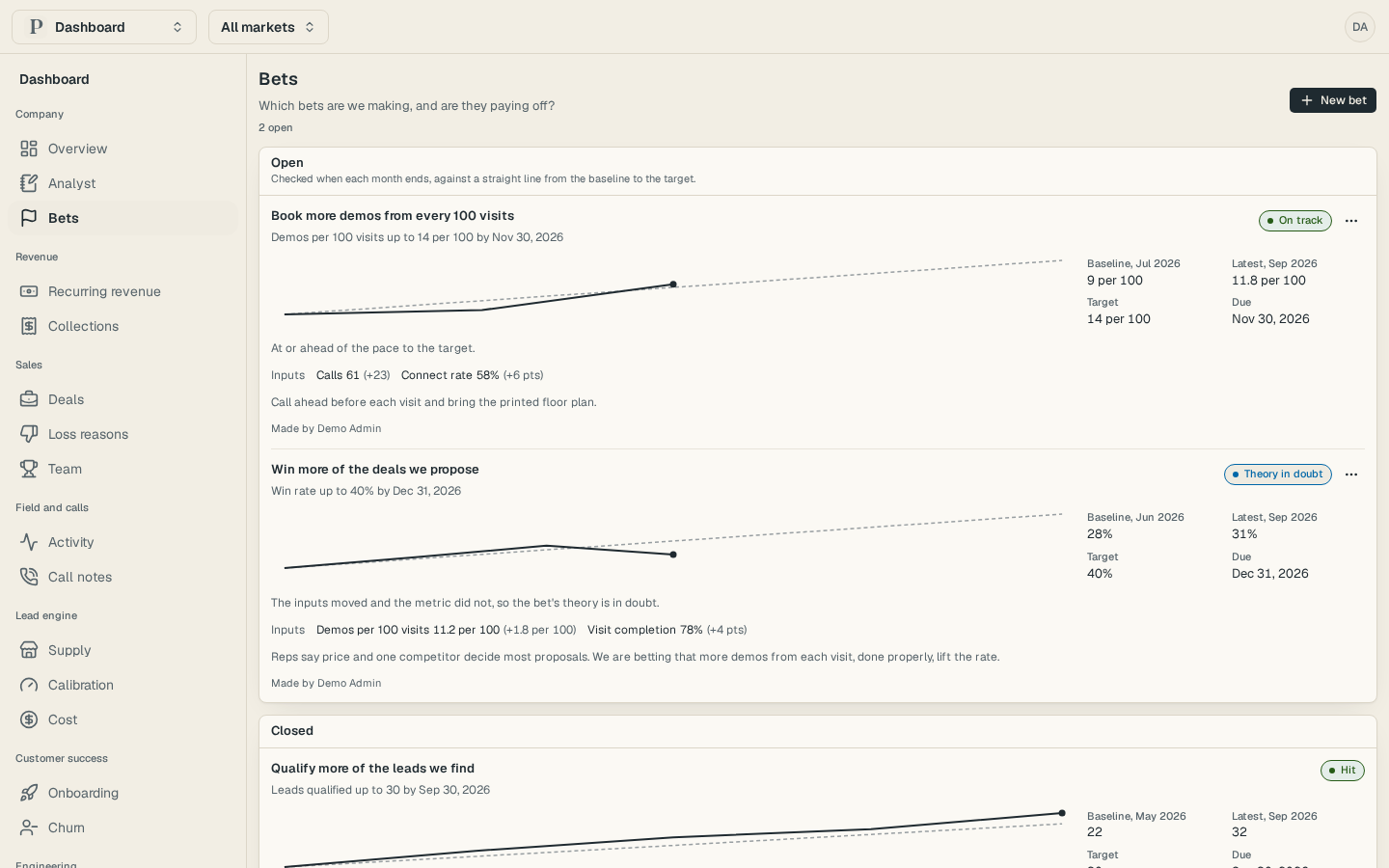
Find the bet under Open. Its goal reads like Demos per 100 visits up to 14 per 100 by Nov 30, 2026.
Look at the chart. The solid line is the metric at each monthly check. The dashed line is the straight path from the baseline to the target.
Read Baseline, Latest, Target and Due beside the chart, then the Inputs with how much each one moved.
Read the verdict at the top right of the bet.
| Verdict | What it means |
|---|---|
| On track | At or ahead of the pace to the target. |
| Theory in doubt | The inputs moved and the metric did not, so the plan may be wrong. |
| Moved by something else | The metric moved and the inputs did not, so something else is moving it. |
| Off track | Behind the pace to the target. |
| No data | No reading yet. A check comes when each month ends. |
A number counts as moved when it changes by at least 5% of where it stood, or by one point for a percentage.
Close or change a bet
The check on or after the due date closes the bet as Hit or Missed. It then moves to Closed with its checks kept.
To change a bet, select the button with three dots on its row, then choose Edit. You can change the title, the target, the due date, the inputs and the note. The metric and its direction stay as they were. To change them, choose Withdraw and make a new bet. A withdrawn bet closes as Withdrawn, keeps its checks and cannot be reopened.
The Analyst report cites open bets, and a bet that uses a section you cannot see in full is counted but not shown to you.