Record why a lead was disqualified
Pick a reason when you disqualify a lead, then see on the Supply view what is filtering your leads out.
A lead that will never become a customer, such as a restaurant that has closed, should leave your qualified leads. Prospero asks why when you disqualify one, so the Dashboard can show what is filtering leads out and whether it is getting worse.
Disqualify a lead
Open the lead in Leads.
Select the button with three dots beside Contact outcomes, then choose Disqualify. A window opens with the venue's name in its title.
Under Reason, pick one: Not a fit, Out of area, Chain or franchise, Business closed, Duplicate, Already a customer, No decision maker, Not interested or Other. Disqualify stays dimmed until you pick one.
Add what you saw or heard under Note (optional). The note appears on the Dashboard beside the lead.
Select Disqualify. Lead disqualified. appears with an Undo button, and the lead is no longer counted as qualified.
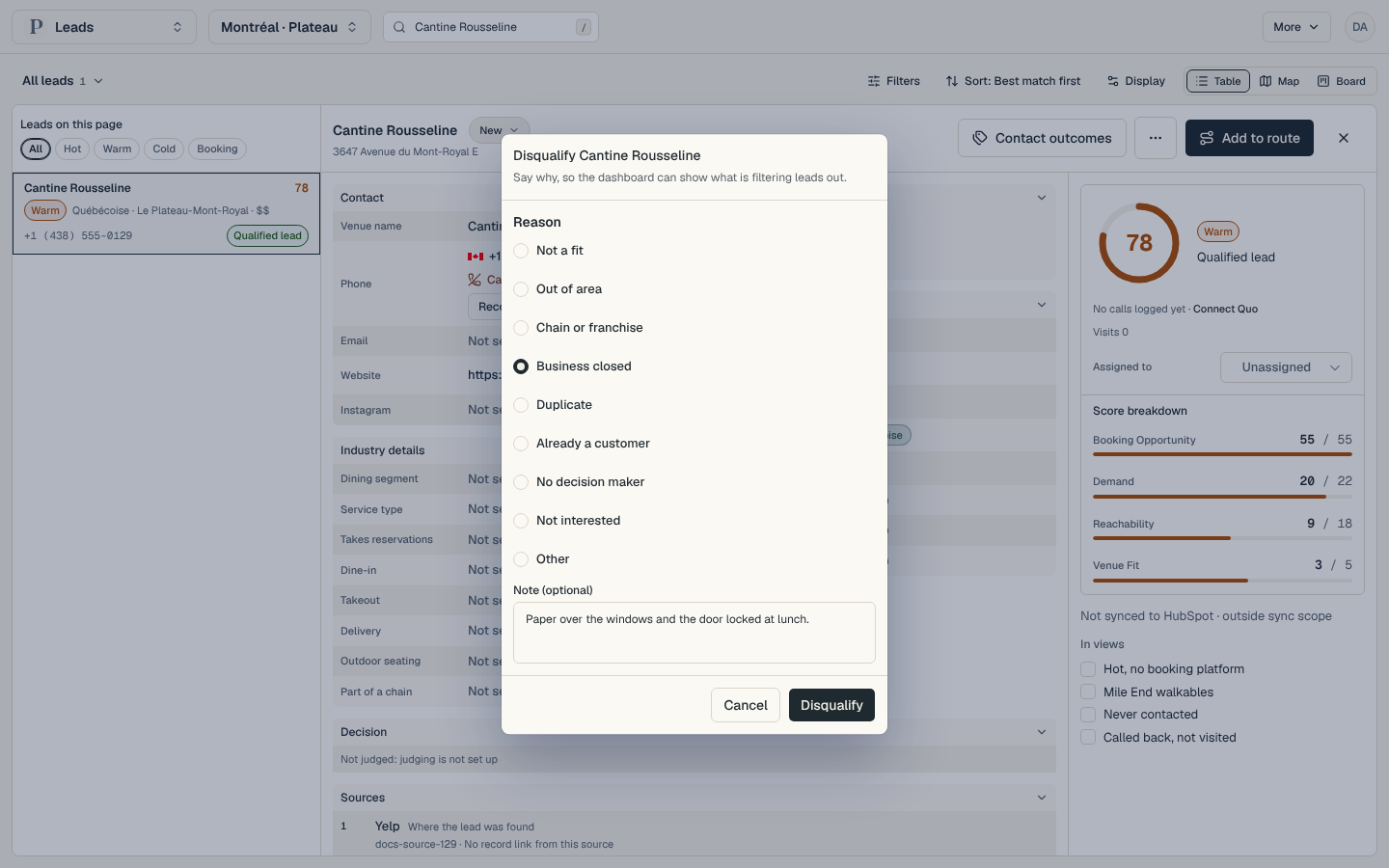
The same window opens from a lead's row menu in the table, and from the bar that appears when you select several leads, so one reason can cover all of them.
Read the reasons
Open Dashboard, then select Supply under Lead engine in the list of views. On a phone, select the group's name at the top, choose Lead engine, then Supply.
Disqualified counts the leads disqualified in the period and Leads qualified counts the ones that qualified, each against the period before.
Under the supply table, Why leads were disqualified lists each reason with its count and its share of all disqualified leads.
By market shows how many leads each market disqualified and its top reasons. Latest disqualified lists the newest leads with their market, the day, the rep, the reason and the note.
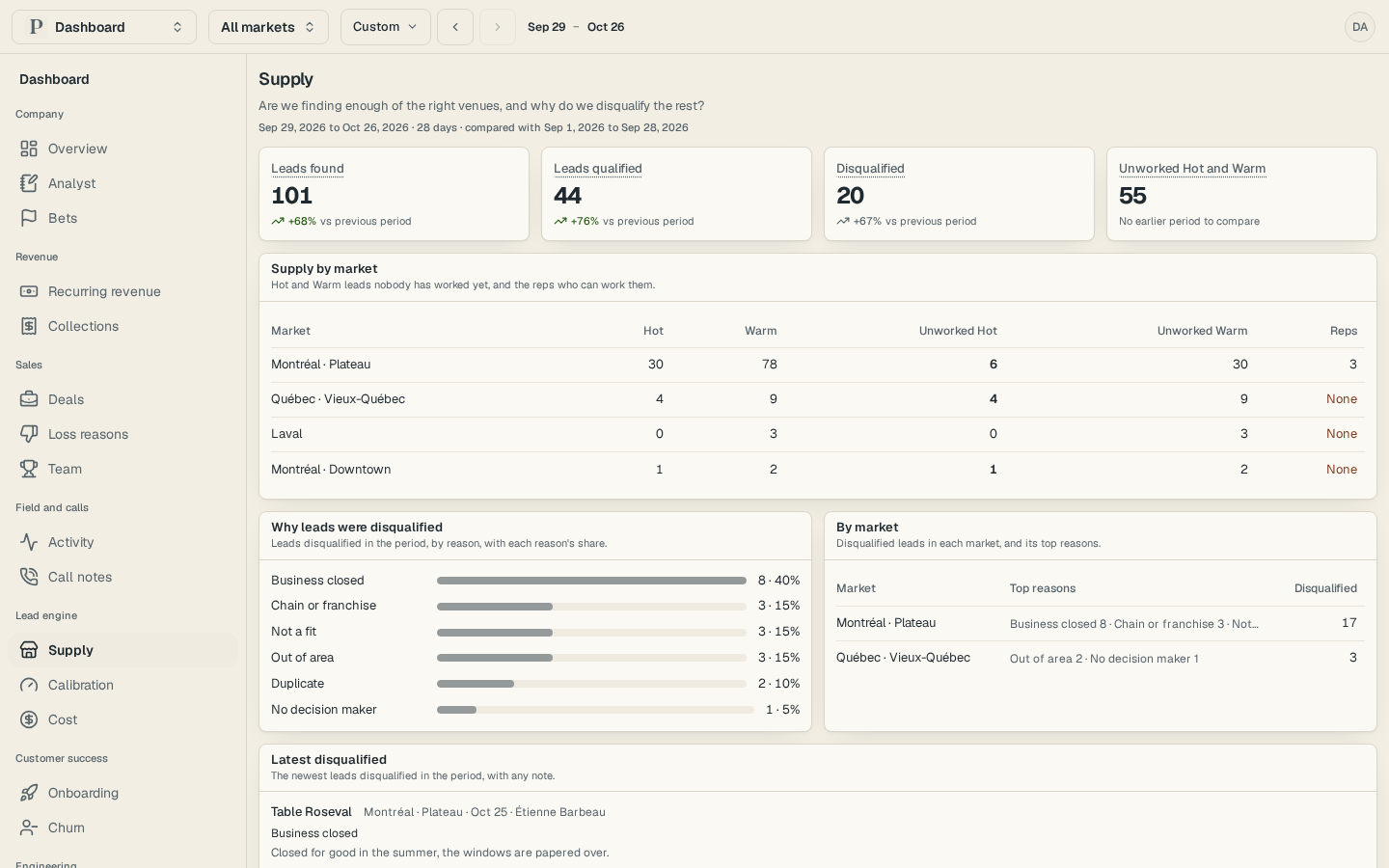
A reason that holds at least three leads and gains 15 points of share appears among the findings on Overview, with the leads listed after Behind it:. Select those leads to see what they have in common.