Record why a customer churned
Add the reason a customer left from the Churn view, then read which reasons cost the most monthly revenue.
A customer churns when the monthly revenue they paid goes to zero. Prospero lists each churn on the Churn view and lets you record why the customer left, so the Dashboard can show which reasons cost the most.
Record a reason
Open Dashboard, then select Churn under Customer success in the list of views. On a phone, select the group's name at the top, choose Customer success, then Churn.
If you work in customer success, the view opens on Your own book, the customers you own. Select Every customer beside the title to see every churn and its reasons.
Find the customer under Churned customers. Each row shows the day they left, the monthly amount and the reason. A customer with no reason reads No reason yet.
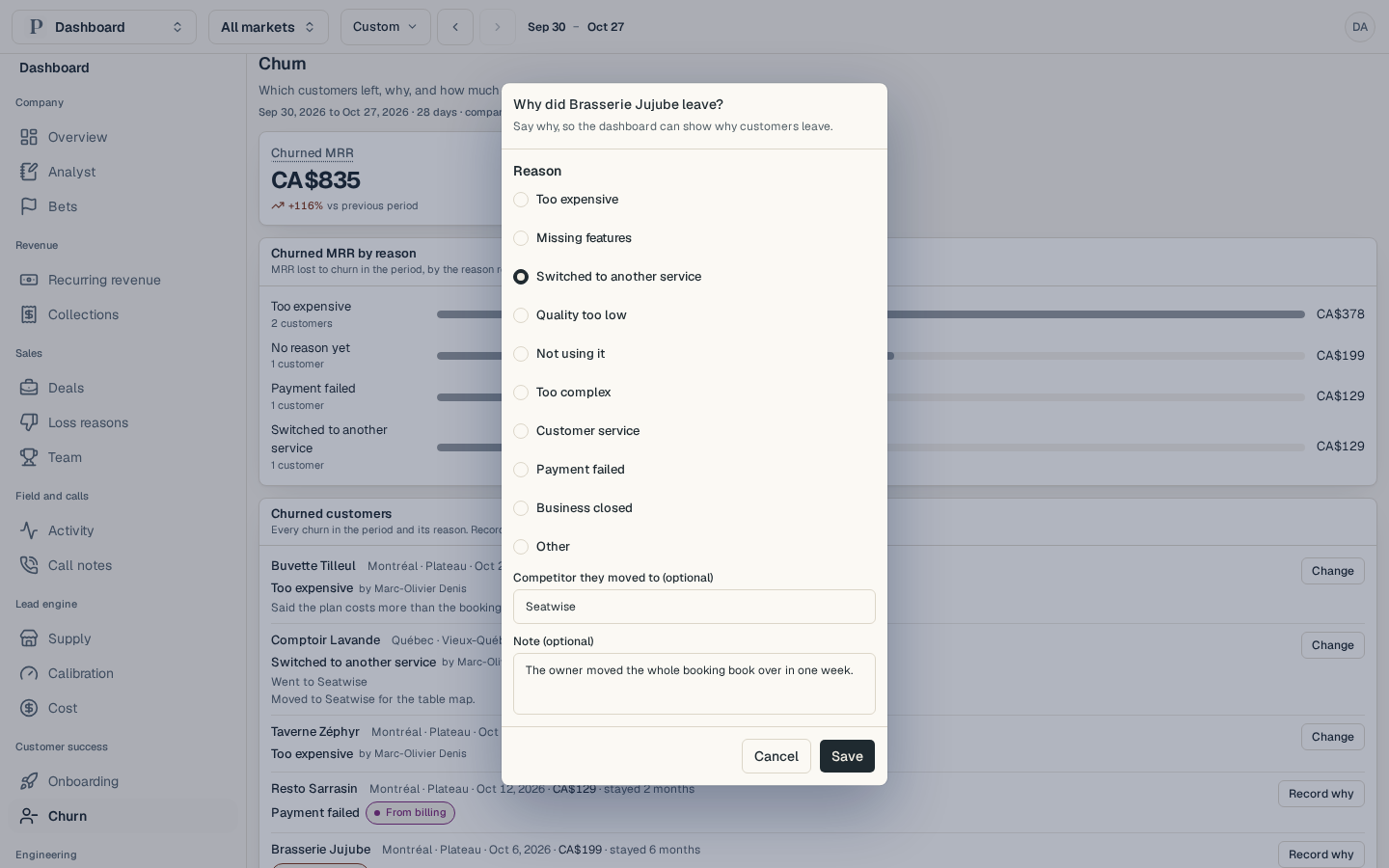
Select Record why at the end of the row. A window opens that asks why the customer left.
Under Reason, pick one: Too expensive, Missing features, Switched to another service, Quality too low, Not using it, Too complex, Customer service, Payment failed, Business closed or Other.
If they moved to someone else, type the name under Competitor they moved to (optional). Add what they told you under Note (optional).
Select Save. Churn reason saved. appears, and the row shows the reason with your name beside it.
A reason that billing set, such as Payment failed, carries a From billing tag. Select Record why on it to replace it with what the customer told you. To correct a reason you recorded yourself, select Change.
Read the reasons
Churned MRR adds up the monthly revenue that went to zero in the period. Logo churn is the share of customers paying at the start of the period who pay nothing at the end. Each shows its change against the period before.
Churned MRR by reason ranks the reasons by the monthly revenue they cost, with the number of customers under each. No reason yet is the revenue still waiting for an answer.
Churned customers lists every churn in the period with its reason, the competitor and the note.
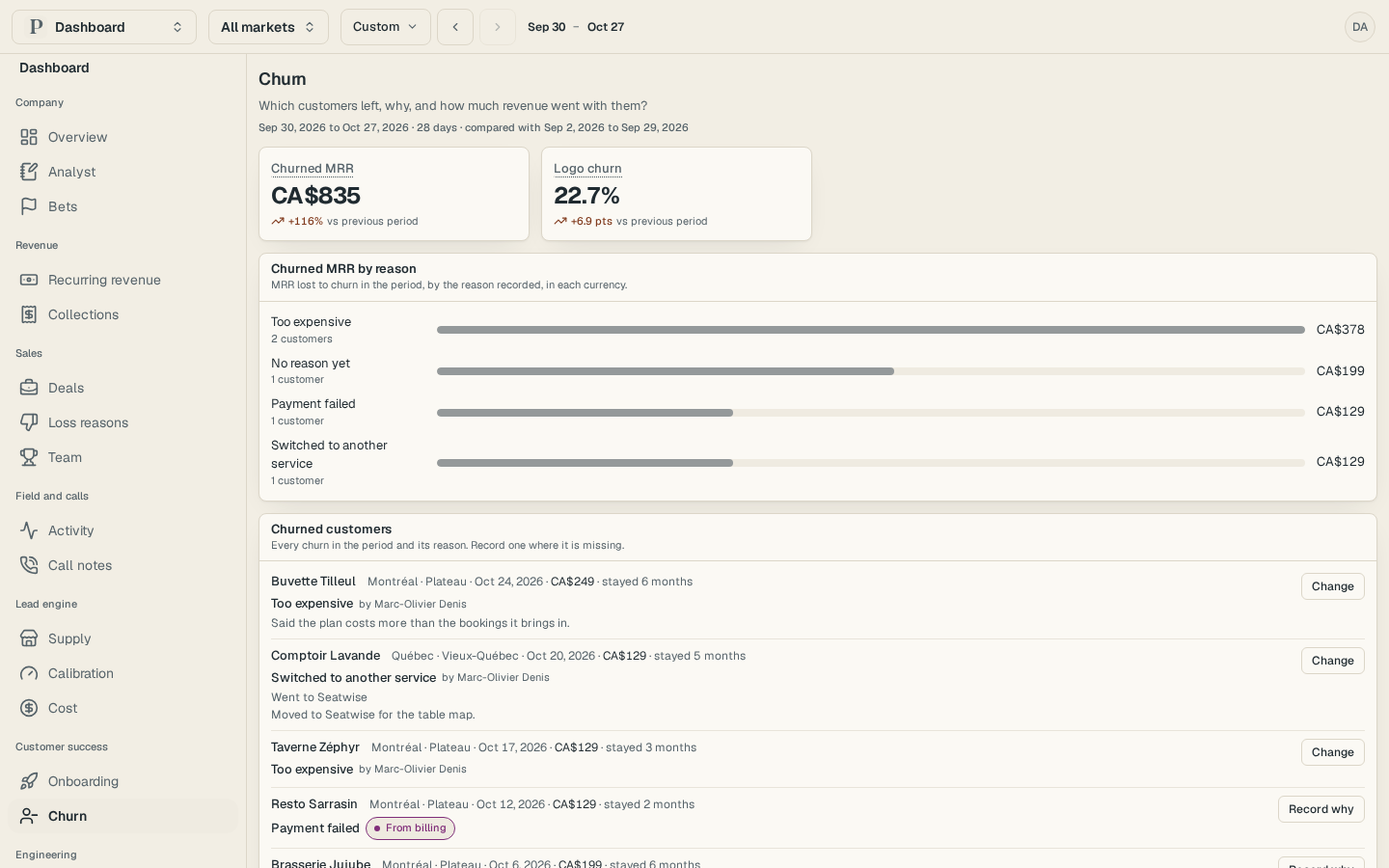
Amounts stay in the currency of each market and are never added across currencies. A reason that costs at least twice the revenue it did the period before, from two or more customers, appears among the findings on Overview.
The people who can open Revenue can record a reason. A churn that belongs to no lead needs an owner or an admin.