Review call notes
Read what venues told your reps on calls, filter by rep or outcome, and open the lead behind each note.
Call notes puts the summaries of your team's calls in one list, so a manager can read what venues say without listening to recordings. Each summary is the one Quo wrote after the call. It only works once Quo is connected under Settings, Integrations, Calls.
Read the notes
Open Dashboard, then select Call notes under Field and calls in the list of views. On a phone, select the group's name at the top, choose Field and calls, then Call notes.
Pick the market and the period at the top. The list shows the calls made in that period, newest first, with times in the market's own clock.
Read a note. The venue's name comes first with the outcome beside it: Connected, Demo booked, Lead qualified or Reached no one. Under it are the rep, the day and time, what was said, and the Next steps.
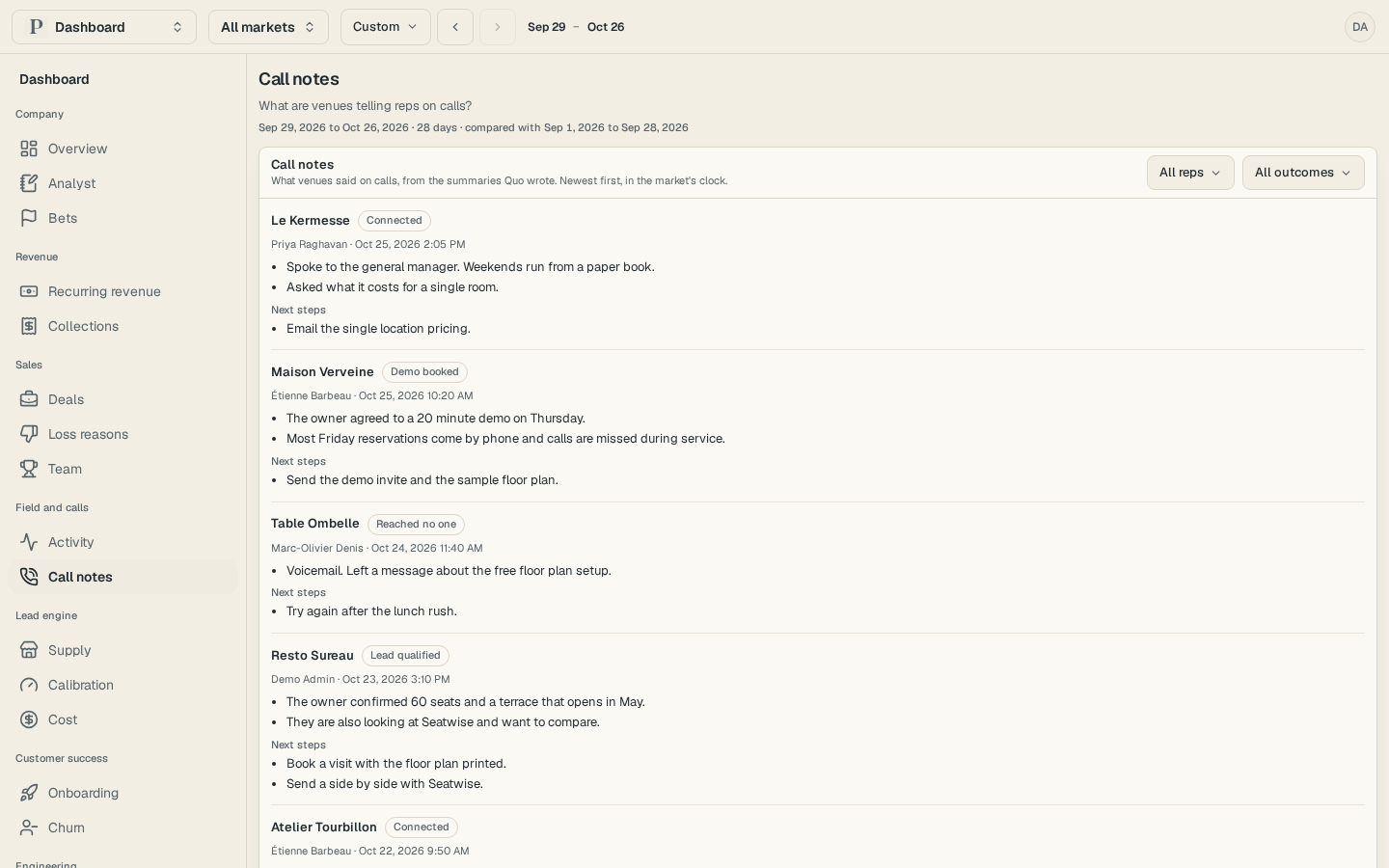
Select the venue's name to open its lead.
Narrow the list
Select All reps and pick one person. The list offers everyone who has a summary in the period.
Select All outcomes and pick one, such as Demo booked, to read only the calls that ended that way.
Open the filter again and choose All reps or All outcomes to clear it.
The list holds the newest 100 notes. When more match, the page says Showing the newest notes only; narrow the period or pick a rep to see the rest.
When a call has no note
A note appears once Quo has written the summary of a call you can open. A call that has just ended may not have one yet, and Prospero checks again on its own. A call Quo never writes a summary for does not appear.
A salesperson reads their own calls, and an owner or admin reads the team's. Prospero keeps a summary for 24 months, and removes every stored summary when you disconnect Quo.