Track discovery cost
See what finding leads costs by provider, by market and by run, and what you pay for each qualified lead.
Finding and qualifying leads uses paid providers, so every discovery run has a cost. The Cost view shows what each provider billed, which market the money went to, and which run found the leads. Owners and admins see all of it. A salesperson's limited view leaves it out.
Read the spend
Open Dashboard, then select Cost under Lead engine in the list of views. On a phone, select the group's name at the top, choose Lead engine, then Cost.
Pick All markets at the top to see the whole organization. Pick a group or one market to see only that part.
Under Spend by provider, read what each provider billed over the calendar months the period touches. Spent is the total. Named to a run is the part Prospero can tie to a discovery run. Not attributed is the rest.
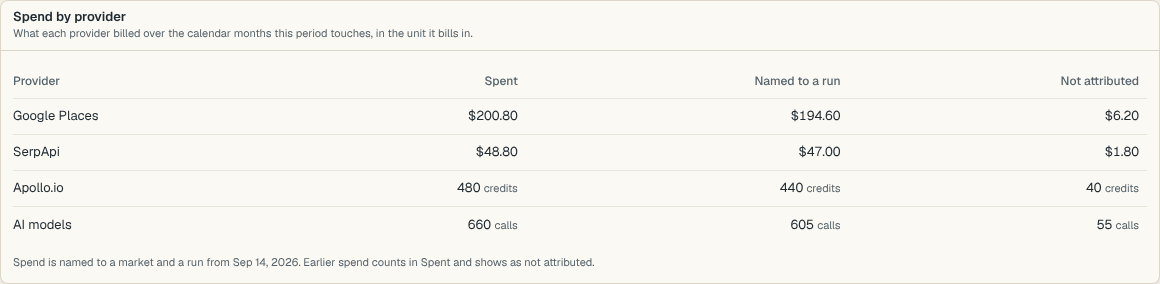
Read the note under the table. It names the day from which spend is tied to a market and a run. Earlier spend counts in Spent and shows as Not attributed.
Each provider bills in its own unit: dollars, credits or calls. The Dashboard shows each unit as spent and never adds one to another.
Compare markets and runs
Under Cost by market, each row shows Found and Qualified leads for the period beside the market's Spend.
Per lead found and Per qualified lead divide the dollars by those counts. Compare the figures across markets to see which one costs the most for each qualified lead.
Under Cost by run, each row is one discovery run, newest first, with its market, the leads it Found, how many are Qualified now, its Spend and its cost Per qualified lead.
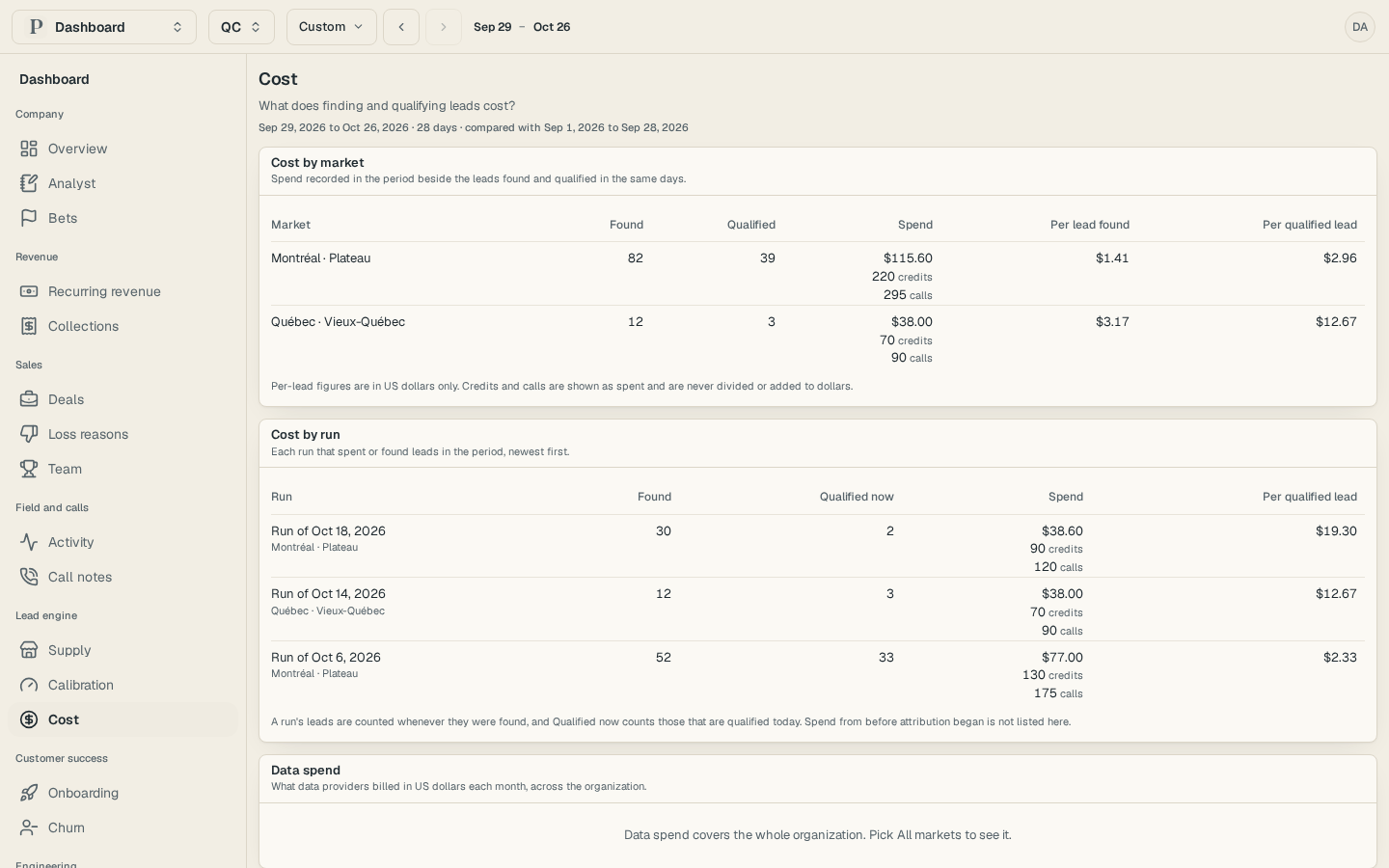
Qualified now counts the leads that qualify today, so a run's figure improves as its leads are judged. Per-lead figures are in US dollars only. Cost by market and Cost by run work for a group or one market. Spend by provider and Data spend, the monthly total the providers billed across the organization, need All markets.
A market whose cost per qualified lead is up by half or more against the period before, or at twice the other markets' typical figure, appears among the findings on Overview. So does a run of 25 or more leads with 10% or fewer qualified, once it is three days old. To change what a run searches, see Configure discovery sources.
Review call notes
Read what venues told your reps on calls, filter by rep or outcome, and open the lead behind each note.
Connect Linear and link projects to reasons
Connect Linear, pick the teams to count, and link each project to the lost deals, churned customers and disqualified leads it should fix.